
Billoxy AI AI Chat
Open AI ChatBilloxy AI
AI ChatAsk. Done.
Invoices, reports, marketing, media, and support — one intelligent conversation grounded in your billing data.
Get the highlights.
Everything AI Chat can do.
Six ways in. One conversation. Pick what you need — Billoxy AI is built for all of it.
Create Invoice
Billing, spoken plainly.
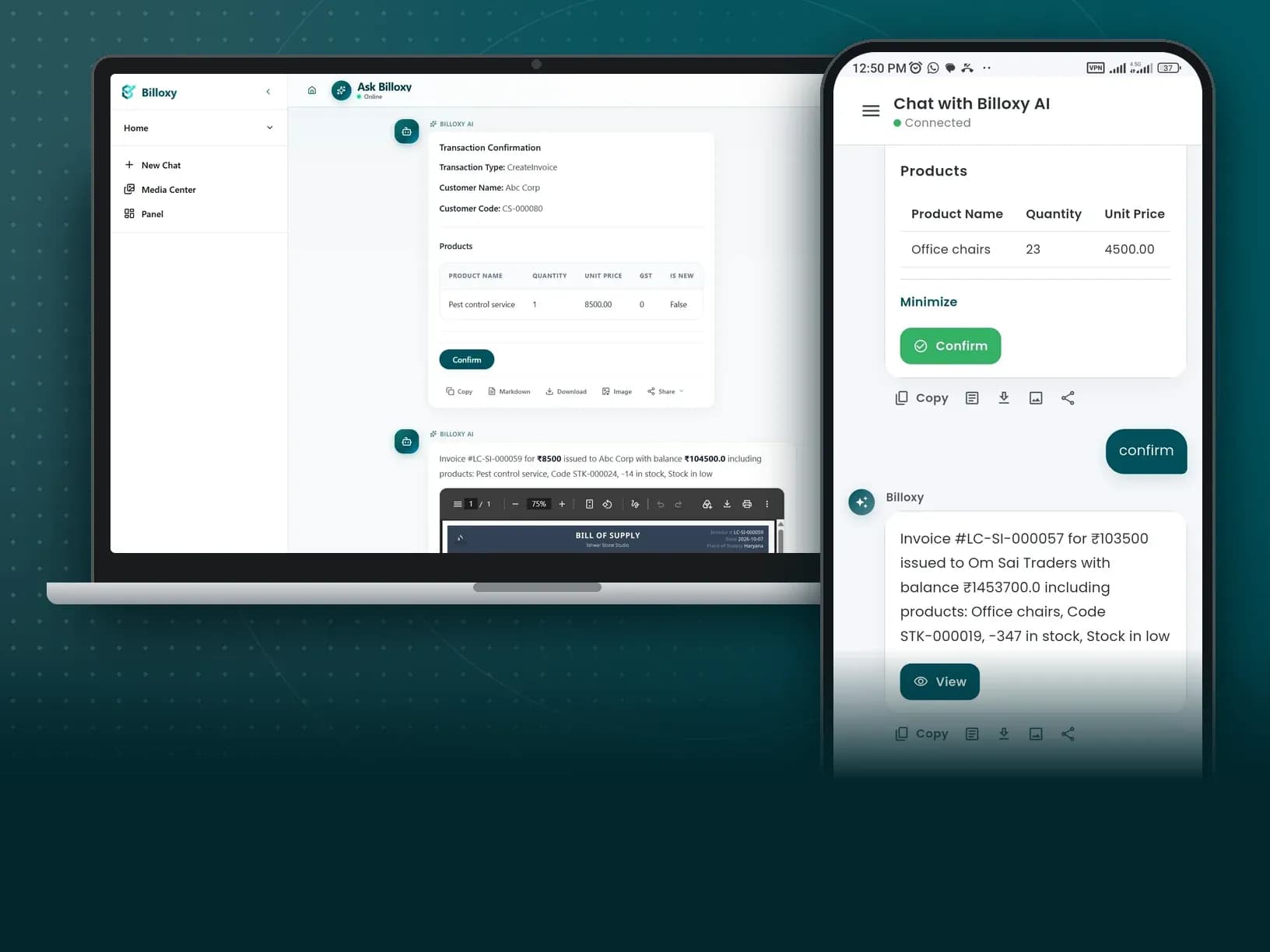
One prompt. A professional GST invoice in motion.
Tap Create Invoice or say what you need. Billoxy AI Chat guides party, items, and tax in a natural thread — so you stay in flow instead of clicking through forms.
“Help me create a new invoice”
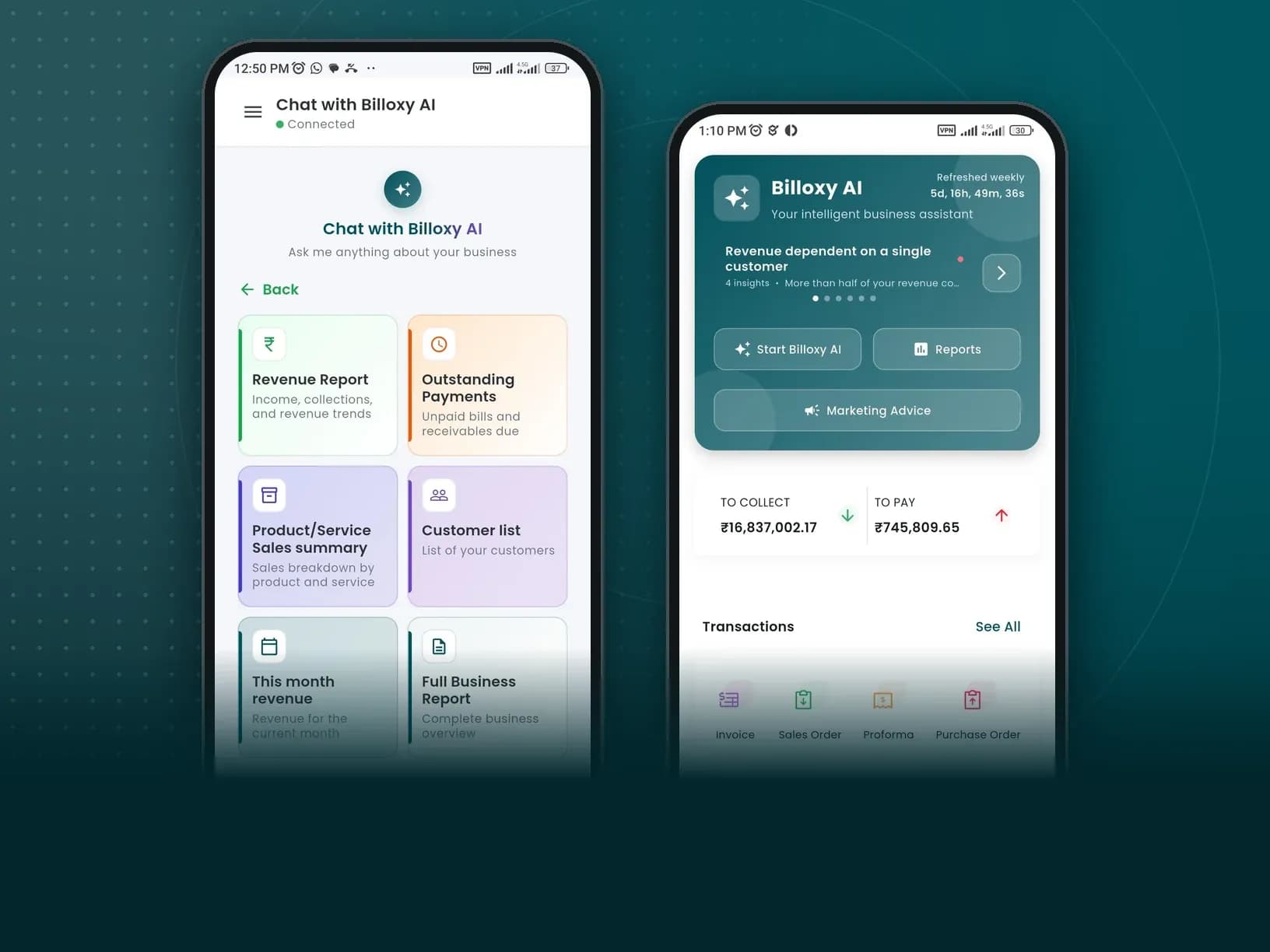
Business Report
Your books, out loud.
Six report paths. Instant clarity.
Skip spreadsheet archaeology. Ask for the slice of the business you care about — and get an answer shaped for decisions, not dashboards alone.
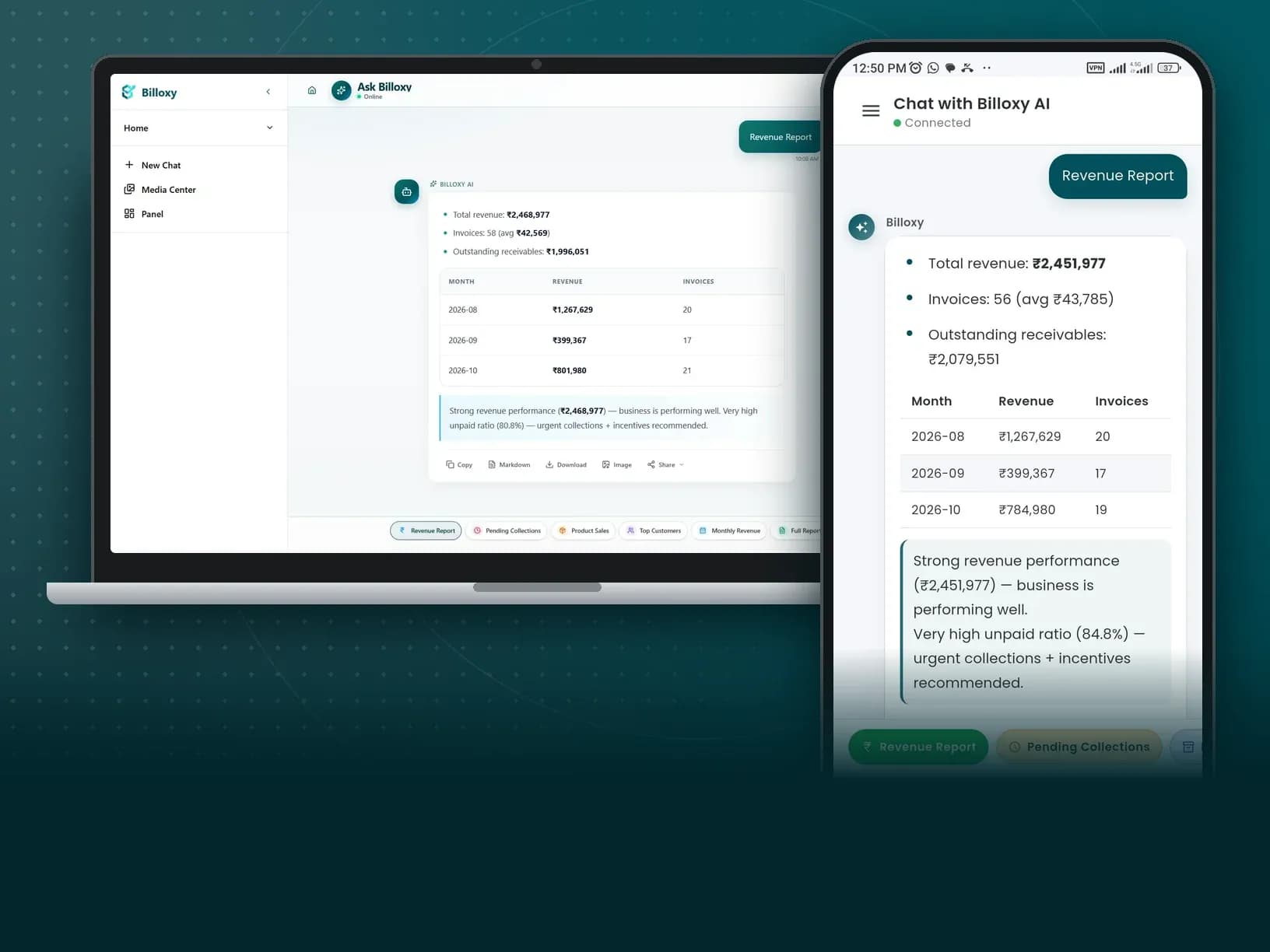
All Business Report intents
Media Content
Creatives, without a design team.
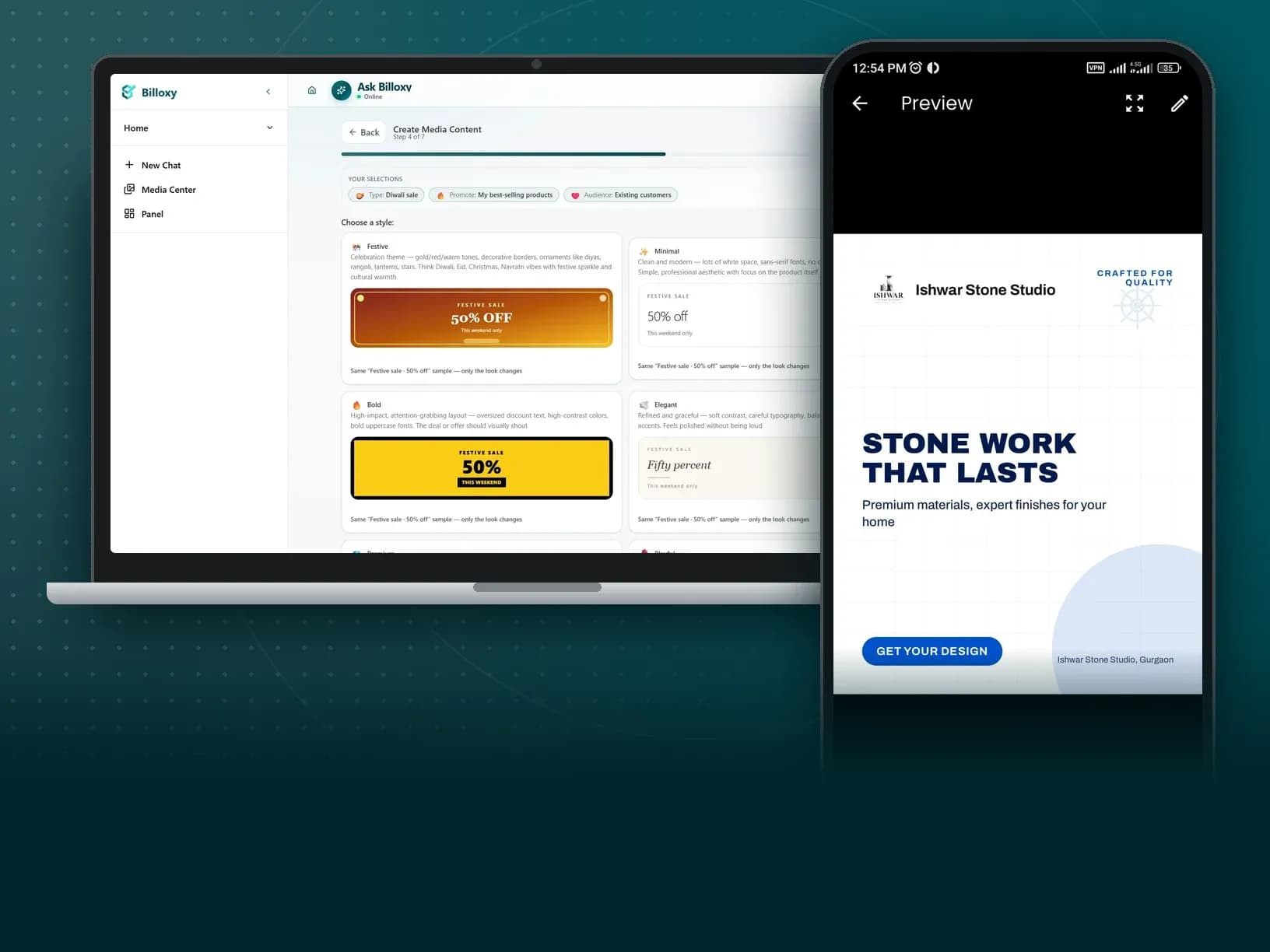
Promotional images and flyers, step by step.
Open Media Content in AI Chat. Billoxy walks you through offers and visuals for social — so your next promo is made where you already work.
“Create a promo flyer for my offer”
Marketing Report
Growth ideas. Ready to send.
Six marketing intents built for invoicing businesses.
From full strategy to WhatsApp copy and payment reminders — Marketing Report drafts the words you need to keep customers buying and paying.
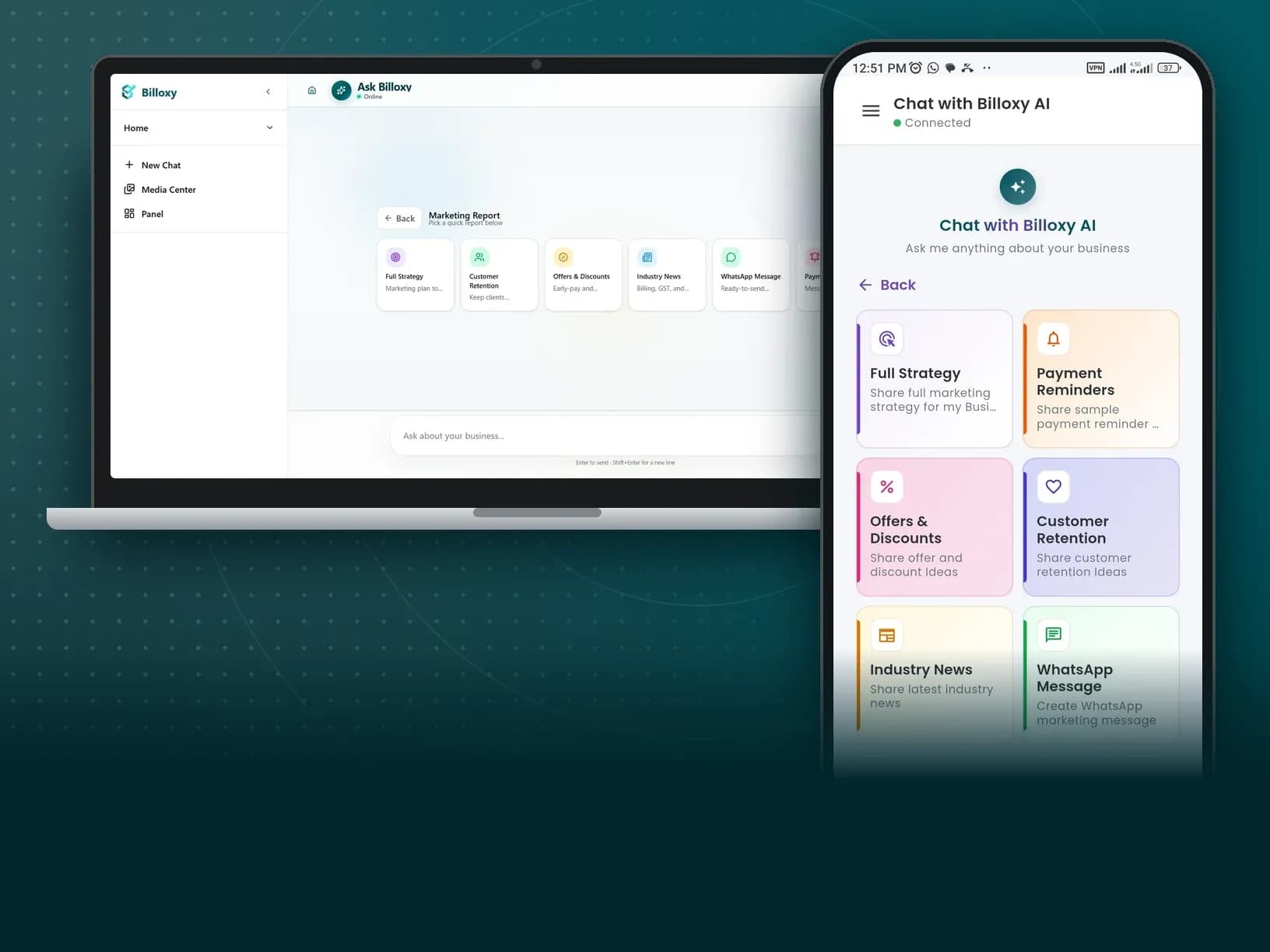
All Marketing Report intents
Billoxy Support
Help that never clocks out.
Your product assistant, always on.
Stuck on a feature or flow? Billoxy Support introduces itself in chat and stays ready — so answers about the product are one message away.
“Hey there! I am your Billoxy Support Assistant, here 24/7 to help you with anything you need”
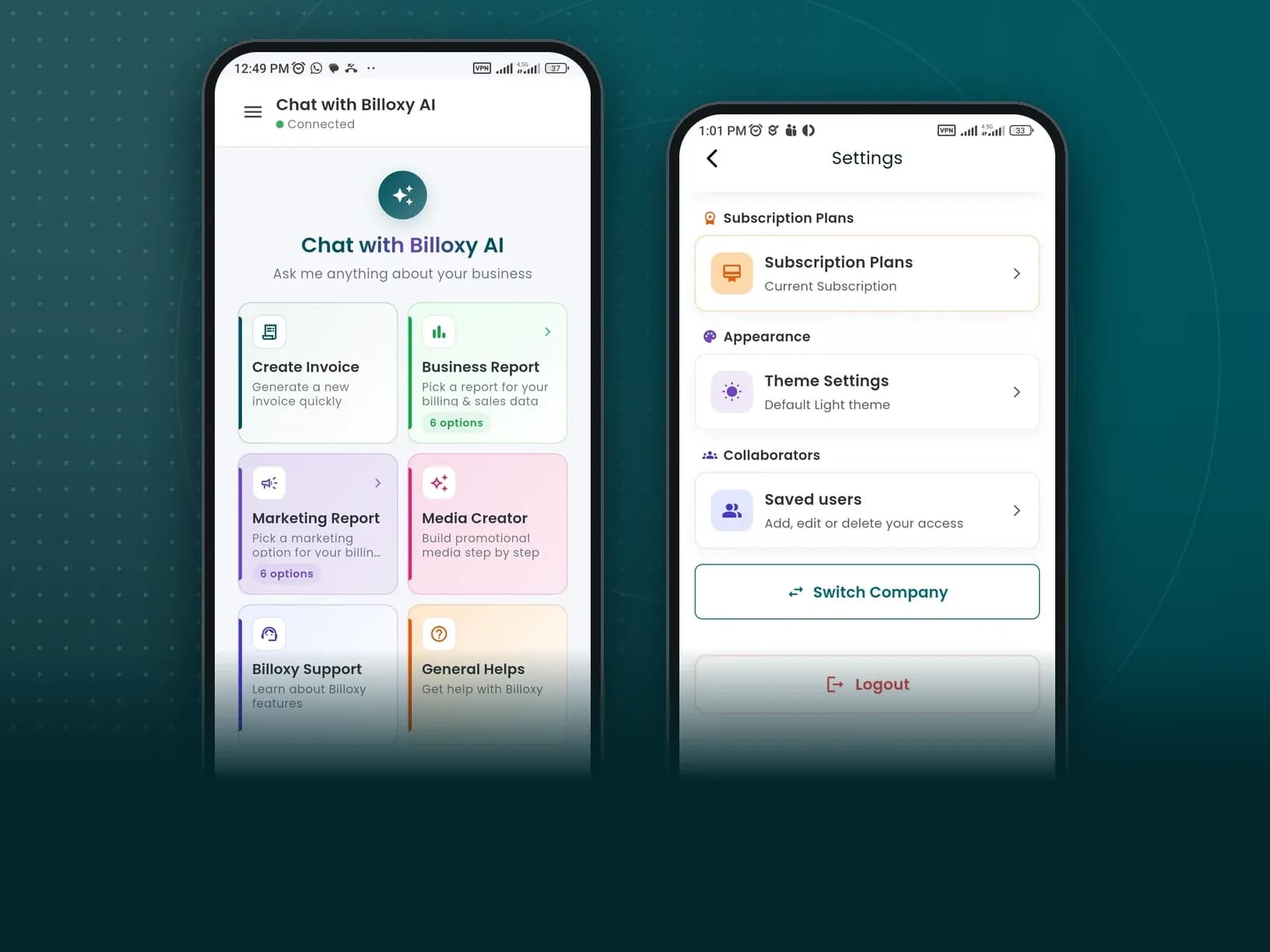
General Help
Start with one question.
How can Billoxy help my business?
Not sure which intent to tap? Ask freely. General Help opens the door — then AI Chat can guide you toward invoices, reports, marketing, or media.
“How can Billoxy help my business?”
How it works
Three beats. Zero setup.
01
Open AI Chat
From the header, floating button, or this page — sign in for business-aware answers.
02
Ask or tap an intent
Create Invoice, Business Report, Media, Marketing, Support — or type freely.
03
Review and move on
Use the result, then keep the same thread for the next task.
Questions, answered.
What is Billoxy AI Chat?+
Billoxy AI Chat is the full-page assistant at /ai-chat. You create GST invoices, pull business reports, draft marketing copy, generate media creatives, and get Billoxy product support in one conversation.
Which AI Chat intents are available?+
Create Invoice; Business Report (Revenue, Outstanding Payments, Product/Service Sales, Customer list, This month revenue, Full Business Report); Media Content; Marketing Report (Full Strategy, Customer Retention, Offers & Discounts, Industry News, WhatsApp Message, Payment Reminders); Billoxy Support; and General Help.
Do I need to configure separate AI agents?+
No. Open /ai-chat, sign in, and use intents or freeform prompts. Capabilities follow your subscription plan permissions.
Can Billoxy AI create GST invoices?+
Yes. Use the Create Invoice intent or ask in chat. For structured GST filing downloads, use Reports & GSTR in the main Billoxy app.
How is AI Chat different from Dashboard AI Insights?+
AI Chat is conversational at /ai-chat. AI Insights is the Dashboard panel for highlights, anomalies, and recommendations. They complement each other.