
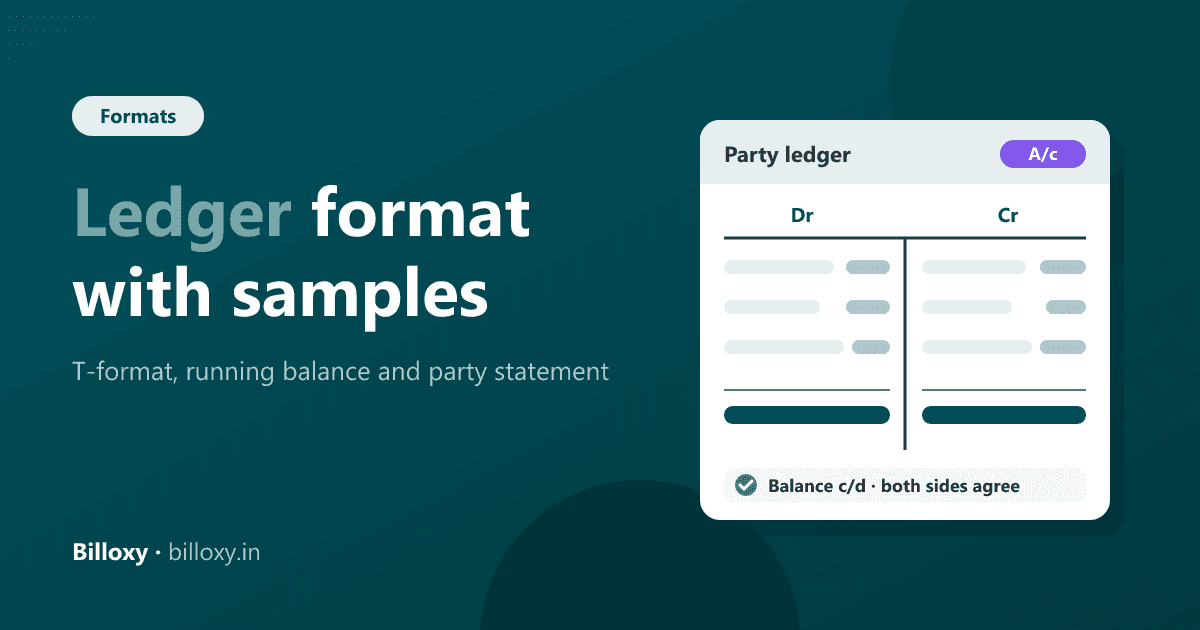
A ledger format is the layout used to record every transaction of one account in date order. The classic format has two sides, Debit and Credit, each with Date, Particulars, Folio and Amount columns. Most businesses and billing software now use a running-balance format: Date, Particulars, Voucher, Debit, Credit and Balance.
Updated 19 November 2026. This guide is for owners and accounts staff at Indian shops, wholesalers and distributors: kirana and grocery stores, hardware shops, medical stores, clothing and electronics shops. It gives three copyable layouts, each with a filled sample. In Hindi, a ledger is usually called a khata (खाता), and the book of ledgers a bahi khata.
If you rebuild party ledgers in Excel every month, you can start the 10-day trial and print a party statement from Report Center instead.
What is a ledger format?
A ledger is the book (or file) that holds one page per account: one customer, one supplier, cash, bank, sales, purchases or an expense head. Every entry first goes into a book of original entry, such as a sales register, a cash book or a day book. It is then posted to the ledger page of each account it affects. The ledger format decides which columns that page has.
There are three formats a small business actually uses:
| Format | Columns | Best for |
|---|---|---|
| T-format (two-sided) | Date, Particulars, J.F., Amount on the Debit side; the same on the Credit side | Accounts classes, handwritten books, checking that both sides agree |
| Running-balance (columnar) | Date, Particulars, Voucher type and number, Debit, Credit, Balance (Dr/Cr) | Excel sheets, billing and accounting software, bank statements |
| Party ledger / statement of account | Your details, party details, period, opening balance, transactions with running balance, closing balance | Sending to a customer or supplier to confirm what is due |
Ledger format 1: the T-format (Debit and Credit sides)
The T-format splits the page in two. The left side is Debit (Dr) and the right side is Credit (Cr). Entries on the debit side start with "To", and entries on the credit side start with "By". J.F. (journal folio) is the page or voucher number the entry came from, so anyone can trace it back.
Sample: Sharma Kirana Store's account in the books of Gupta Traders (a grocery wholesaler), October 2026
| Date | Particulars (Dr) | J.F. | Amount (₹) | Date | Particulars (Cr) | J.F. | Amount (₹) |
|---|---|---|---|---|---|---|---|
| 01-10-2026 | To Balance b/d | — | 12,000 | 12-10-2026 | By Bank (UPI receipt) | R-44 | 15,000 |
| 05-10-2026 | To Sales (Inv 101) | S-101 | 18,400 | 24-10-2026 | By Sales return (CN 7) | CN-7 | 1,200 |
| 19-10-2026 | To Sales (Inv 118) | S-118 | 9,600 | 31-10-2026 | By Balance c/d | — | 23,800 |
| Total | 40,000 | Total | 40,000 |
Sharma Kirana Store owes Gupta Traders ₹23,800 at the end of October. That balance is carried down ("b/d") as the opening debit on 1 November. Figures are illustrative.
Ledger format 2: the running-balance format
The running-balance format puts every entry in one list and works out the balance after each line. You can see the amount due on any date without totalling the page. This is the layout most Excel ledger templates and all billing software use.
Sample: the same account in running-balance format
| Date | Particulars | Voucher | Debit (₹) | Credit (₹) | Balance (₹) |
|---|---|---|---|---|---|
| 01-10-2026 | Opening balance | — | — | — | 12,000 Dr |
| 05-10-2026 | Sales | Inv 101 | 18,400 | — | 30,400 Dr |
| 12-10-2026 | Receipt (UPI) | R-44 | — | 15,000 | 15,400 Dr |
| 19-10-2026 | Sales | Inv 118 | 9,600 | — | 25,000 Dr |
| 24-10-2026 | Sales return | CN 7 | — | 1,200 | 23,800 Dr |
| 31-10-2026 | Closing balance | 28,000 | 16,200 | 23,800 Dr |
Check: opening 12,000 + debits 28,000 − credits 16,200 = closing 23,800. "Dr" after a customer's balance means the customer owes you. "Cr" means you owe them, for example after an advance payment.
Ledger format 3: party ledger or statement of account to send a customer
When a customer asks "how much do I owe?", or your CA asks for party balances, you send a party ledger statement (also called a statement of account). It is the running-balance ledger with a header and a summary, so the party can match it against their own books.
Statement of account — layout
| Section | What to show |
|---|---|
| From | Your business name, address, GSTIN, phone |
| To | Party name, address, GSTIN (if registered) |
| Period | From date and to date, for example 1 Oct 2026 to 31 Oct 2026 |
| Opening balance | Balance on the first day of the period, with Dr or Cr |
| Transactions | Date, particulars, voucher number, debit, credit, running balance |
| Summary | Total debits, total credits, closing balance with Dr or Cr |
| Open bills (optional) | Each unpaid invoice with its date and the amount still due |
| Note | "Please confirm the balance or tell us of any difference within 7 days" |
Filled sample (summary and open bills)
| Statement item | Amount (₹) |
|---|---|
| Opening balance (1 Oct 2026) | 12,000 Dr |
| Total debits (sales invoices) | 28,000 |
| Total credits (receipt and credit note) | 16,200 |
| Closing balance (31 Oct 2026) | 23,800 Dr |
| Open bill | Bill date | Bill amount (₹) | Still due (₹) |
|---|---|---|---|
| Inv 101 | 05-10-2026 | 18,400 | 15,400 |
| Inv 118 | 19-10-2026 | 9,600 | 8,400 |
| Total | 23,800 |
Here the ₹15,000 UPI payment cleared the opening balance first and the rest went to Inv 101. The credit note was set against Inv 118. Settling the oldest bills first keeps the "still due" list matching the closing balance.
How do you post entries and balance a ledger?
- Open one page per account. Write the account name at the top (party, cash, bank, sales, purchases, or an expense).
- Bring the opening balance. Copy last period's closing balance as the first line, on the same side (Dr or Cr).
- Post from the source book. For each invoice, receipt, payment, credit note or debit note, enter the date, particulars, voucher number and amount on the correct side.
- Customers: sales on the debit side, receipts and returns on the credit side. Suppliers are the other way round: purchases go on the credit side, and payments and purchase returns on the debit side.
- Total both sides at the period end (T-format), or read the last balance (running-balance format).
- Carry the balance forward as "Balance c/d" this period and "Balance b/d" next period.
- Match with the party. Send the statement and fix any difference before the next period starts.
What is the difference between a ledger, a journal, a day book and a party statement?
| Point of comparison | Journal | Day book | Ledger | Party statement |
|---|---|---|---|---|
| What it records | Each transaction with its debit and credit accounts | All transactions of a day, in time order | All transactions of one account | One party's ledger for a chosen period |
| Order | By date | By date, one day at a time | By account, then date | By date, for one party |
| Main use | First record of an entry | Daily check of what was billed, received and paid | Account balances and final accounts | Confirming dues with a customer or supplier |
| Who reads it | Accountant | Owner, cashier | Owner, accountant, CA | The party, and your CA |
| Typical columns | Date, particulars, L.F., debit, credit | Date, voucher, party, amount, type | Date, particulars, J.F. or voucher, debit, credit, balance | Header, opening balance, entries, closing balance |
Verdict: the day book tells you what happened today, and the ledger tells you where each account stands. The party statement is the ledger page you send to someone. A small shop with mostly cash sales can live with a day book and a few party ledgers. A wholesaler or distributor selling on credit needs a party ledger for every customer.
Ledger format in Excel, Word or PDF: which should you use?
| Option | Good for | Watch out for |
|---|---|---|
| Excel / Google Sheets | Running-balance ledgers with a formula: previous balance + debit − credit | One wrong formula or sorted row breaks every balance below it |
| Word | Printing a fixed statement of account layout | No calculation; totals must be checked by hand |
| Sending a statement the party cannot edit | Make it from Excel or software; don't fill PDFs by hand | |
| Handwritten bahi khata | Very small cash-and-credit shops | Hard to search, total or share; easy to lose old pages |
| Billing or accounting software | Ledgers built from the invoices and receipts you already enter | Entries must be made in the software, not kept on the side |
For an Excel running-balance ledger, put the opening balance in F2. In F3 enter =F2+D3-E3 (column D is debit, column E is credit) and fill it down. Use a positive balance for Dr and a negative one for Cr, or add a column that shows "Dr" or "Cr".
Ledger examples for different trades
- Kirana and grocery stores. The udhaar register is a set of customer ledgers. Keep one page per credit customer with a running balance, and show it when the customer pays. See how Billoxy works for grocery stores.
- Wholesalers and distributors. Retailers often pay a round figure against several bills, for example "₹50,000 for last month". Record it once and set it against the oldest bills, or the party ledger and the open-bill list stop matching.
- Hardware shops. Contractors and builders take goods on credit across many sites. A separate ledger per contractor, with the site name in the particulars, avoids disputes at month end. See hardware shops.
- Medical stores. Supplier ledgers matter as much as customer ledgers. Record purchase returns of near-expiry stock as credits from the distributor, so the payable balance is right. See medical stores.
Common ledger mistakes and how to avoid them
- A lump-sum payment posted with no bill reference. The balance is right, but nobody knows which bills are still open. Note the bills it covers, oldest first.
- A missing or wrong opening balance. Every balance after it is wrong. Copy it from last period's closing balance, never from memory.
- Returns posted as negative sales. Post a credit note on the credit side so the sales total and the return stay visible.
- One ledger for two parties with similar names. Use the GSTIN or phone number to tell them apart.
- Never confirming with the party. Send a statement at least every quarter and before the financial year closes.
Before 31 March: year-end ledger checklist
- Send statements of account to every customer and supplier with a balance.
- Ask each party to confirm the closing balance, or tell you of a difference.
- Clear small leftover balances on old bills that were actually paid.
- Check that advances received or paid show as Cr or Dr balances on the right party.
- Give your CA the party balances and the open-bill lists for the year-end accounts.
How Billoxy helps with ledgers and party statements
You don't need software to keep a ledger. The formats above work on paper or in Excel. If you already make your invoices, receipts and credit notes in Billoxy, the ledgers come from those entries:
- Party Statement in Report Center. Billoxy's Report Center puts more than 50 reports on one screen. Press "/", type "party statement", pick the party and the period, then print it or download a CSV for Excel or your CA. Printouts carry the report name and the period.
- Day Book and outstanding reports. The same screen has the Day Book, All Transactions, and Overdue Receivable & Payable reports. Party dues show in ageing buckets of 0–30, 31–60, 61–90 and 90+ days, so you know whom to call first. See also the reports overview.
- One payment against many bills. When a party pays a round figure, multi-invoice payment lists their open bills oldest first. Auto allocate clears the oldest first, and any extra amount is kept as an unallocated advance for that party. The ledger and the open-bill list stay in step.
- Party records in one place. Customers, suppliers and their balances live in party management.
- Access by role. Staff without permission see a report as locked, so profit reports stay with the owner.
Start the 10-day trial and print your first party statement from your own invoices.