
Billoxy · Modules
DesktopPurchase Invoice
Menu Purchases → Purchase Invoices (`/purchase/invoices`). Record supplier bills (and returns / credit / debit notes), track open payable balance, create Payment Out from preview, and link back to Purchase Orders.
Add Payment (Bank & Cash)
From Purchase Invoice Preview, Add Payment settles part or all of the open amount using a company Bank or Cash account — the same <a href="/features/payment-out">Payment Out</a> flow used across Billoxy.
How to Add Payment
- 1Open Purchase Invoice Preview for the bill
- 2Confirm Open / Remaining amount
- 3Click Add Payment (or Pay) — posts via Payment Out / Bank / Cash
- 4Choose payment account type: Bank or Cash
- 5Select the specific Bank account or Cash account
- 6Enter Amount (≤ open), Payment Date, reference / description as required
- 7Save — open amount decreases; entry appears in Payment History and Bank/Cash ledgers
Bank vs Cash for the same invoice
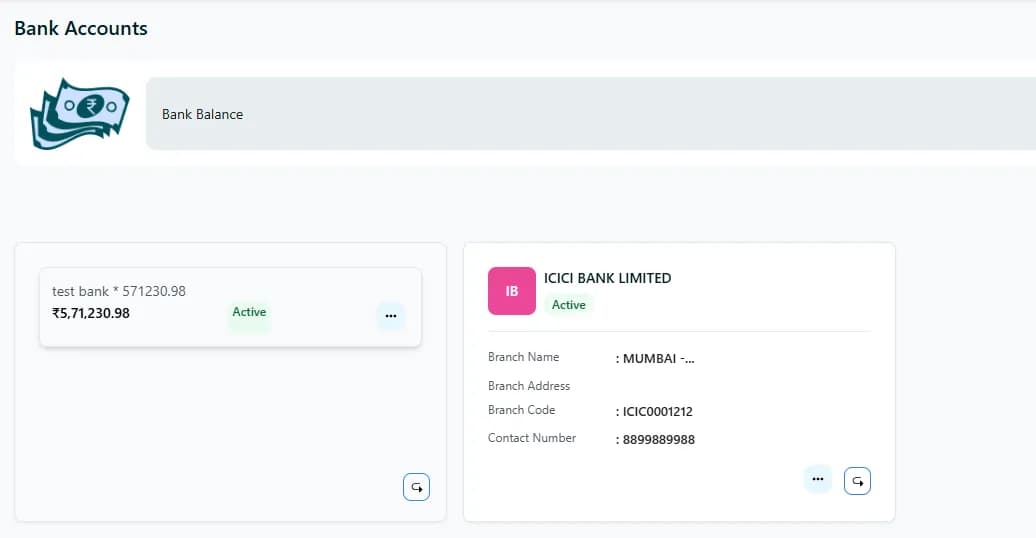
- Bank — pay from a company bank account under Definitions → Bank Accounts (NEFT/cheque/UPI style outflow in the ledger)
- Cash — pay from petty / cash account under Cash — useful for small supplier settlements
- You can mix modes over time: e.g. first payment Cash, later payment Bank, until open = 0
- Each payment posts to the chosen account’s transaction history and reduces invoice open balance
- Party link stays on the invoice — payments remain tied to that supplier bill
Payment form essentials
Amount
Usually capped by open remaining so you cannot overpay the invoice.
Bank account
Pick the company bank/account that funds the supplier payment.
Cash account
Pick the cash / petty cash account when paying in cash.
Date & note
Payment date and description/reference for reconciliation.
Define Bank and Cash accounts before payment season — see Bank, Cash, and Payment Out. Without accounts, Add Payment has nowhere to post the outflow.
Frequently asked
Is invoice payment the same as Bank → Create Payment?+
Both move money out of Bank/Cash. Invoice Add Payment is invoice-centric: it allocates against this bill’s open amount and writes Payment History on the invoice. Bank/Cash ledgers still receive the matching transaction.
Can I pay more than open?+
No — open remaining is the payable cap for that invoice. Create another invoice or check Debit/Credit/Return if the supplier balance differs.
Related modules
Open Amount & Payable Balance
On both the list and the preview, Billoxy shows how much of the purchase invoice is still open — the remaining amount you can pay — so partial payments, returns, and debit/credit notes stay clear.
View featurePayment History
Payment History on the purchase invoice lists every payment posted against that bill — amount, date, Bank or Cash account, and references — so you can audit how open balance was reduced.
View featurePreview, Templates & Share
Purchase Invoice Preview is the hub — PDF templates, download/print, Email/WhatsApp, open balance, Add Payment, Payment History, and Create Return / Debit / Credit.
View featureReady to try Add Payment (Bank & Cash)?
Jump into Billoxy and see it in action on your own data.