
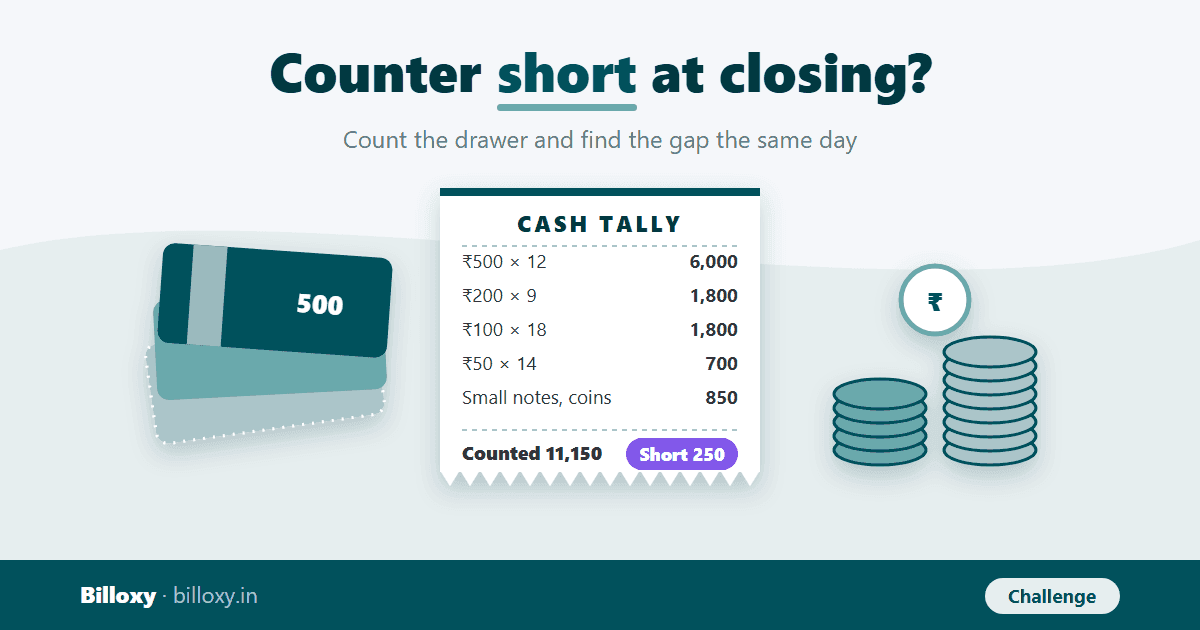
A cash tally is the closing check where you count the notes and coins in the cash drawer and compare the total with what the drawer should hold: opening cash plus cash sales and cash received, minus cash paid out. If the count is lower, the counter is short. If it is higher, it is in excess. Both mean something was missed.
Updated 25 November 2026. This guide is for owners and cashiers of supermarkets, kirana and grocery stores, mobile shops, medical stores and other counters in India where cash, UPI and credit sales mix through the day. It covers the formula, a denomination tally sheet you can copy, the usual reasons cash does not match, and a routine that finds a shortage the same day.
If you bill at a busy counter, you can start the 10-day trial and close each cashier shift with an X-report or Z-report in Billoxy POS, in the web panel and the Android app.
How do you calculate expected cash in the drawer?
Before you count, work out what the drawer should hold. Use only cash, never UPI or card.
Expected cash = Opening cash + Cash sales + Cash received from customers + Cash added − Cash refunds − Cash paid out − Cash removed
| Line | What goes in it | Example (grocery store, one day) |
|---|---|---|
| Opening cash (float) | Cash left in the drawer at the start | ₹3,000 |
| + Cash sales | Only the cash part of each bill, including the cash part of split bills | ₹21,450 |
| + Cash received from customers | Old dues (udhaar) paid in cash today | ₹2,500 |
| + Cash added | Extra change brought in from the owner or the bank | ₹1,000 |
| − Cash refunds | Cash returned for sales returns | ₹350 |
| − Cash paid out | Expenses and supplier payments paid from the drawer | ₹1,200 |
| − Cash removed | Cash taken out for safekeeping or a bank deposit | ₹15,000 |
| = Expected cash | ₹11,400 |
Now count the drawer. If the count is ₹11,150, the counter is ₹250 short. If it is ₹11,500, it is ₹100 in excess. An excess is not good news: it usually means a sale or a refund was recorded wrongly, and the same mistake may have cost a customer money.
Cash tally sheet: count the drawer by denomination
Counting note by note, in one direction, is faster and causes fewer mistakes than counting loose bundles. Copy this sheet, or print it and keep a pad at the counter.
| Denomination | Count | Amount (₹) |
|---|---|---|
| ₹500 notes | 12 | 6,000 |
| ₹200 notes | 9 | 1,800 |
| ₹100 notes | 18 | 1,800 |
| ₹50 notes | 14 | 700 |
| ₹20 notes | 25 | 500 |
| ₹10 notes | 21 | 210 |
| ₹20 coins | 2 | 40 |
| ₹10 coins | 6 | 60 |
| ₹5 coins | 4 | 20 |
| ₹2 coins | 5 | 10 |
| ₹1 coins | 10 | 10 |
| Counted total | 11,150 | |
| Expected cash (from the formula) | 11,400 | |
| Difference (counted − expected) | −250 (short) |
Add rows for any other notes or coins you keep. Write the date, shift, cashier's name and signature at the bottom, and keep the sheet with the day's papers.
Why does the cash not match at closing?
Most shortages are recording mistakes, not theft. Check these in order, because the first ones are the most common.
- A UPI or card payment was entered as cash. The bill says cash, so the expected cash goes up, but the money is in the bank. This is the most common cause of a "short" drawer at counters where most customers pay by UPI.
- A split payment was entered as one mode. A customer pays ₹500 in cash and ₹1,300 by UPI. If the whole ₹1,800 is marked as cash, the drawer looks ₹1,300 short.
- Cash paid out without a slip. Tea, delivery charges, a small supplier payment or an advance to staff, paid from the drawer and never written down.
- Wrong change. Giving ₹100 change instead of ₹50 in a rush. On a busy day, a few such mistakes add up.
- Returns and cancelled bills. Cash refunded without a return entry, or a bill cancelled after the cash was taken.
- Udhaar collected but not entered. A customer pays old dues in cash and nobody records it. The drawer shows an excess, and the customer's account still shows the dues.
- The owner took cash. Cash taken for home or for a purchase without a slip in the drawer.
- A payment that never arrived. A UPI payment screen was shown but the money did not reach your account. Check your UPI app or soundbox for each payment, not the customer's phone.
- Counting mistakes. Two notes stuck together, or a bundle counted twice.
How do you find a cash shortage before the shop closes?
Use this routine every day. It works with a notebook, and it is faster with software.
- Start with a fixed float. Keep the same opening cash every day, for example ₹3,000 in small notes, and count it in front of the cashier.
- One drawer, one person per shift. If two people use one drawer, nobody can explain a difference.
- A slip for every cash payout. Keep a pad in the drawer. Every rupee that leaves for expenses, suppliers or the owner gets a slip with amount, reason and signature.
- Record the payment mode on every bill. Cash, UPI, card or credit, and both parts of a split payment.
- Match UPI separately. At closing, compare the UPI total in your bills with the payments received in your UPI app or bank statement. Do this before counting cash: it explains most shortages.
- Count blind, then compare. The cashier counts the drawer and writes the total before seeing the expected figure. This gives an honest count.
- Tally at every shift change, not only at closing. A difference found after 4 hours is much easier to trace than one found after 12 hours.
- Remove extra cash during the day. When the drawer gets full, take cash out with a slip ("₹10,000 removed, 3:15 pm") and add it to the cash removed line.
- Keep a difference register. Write each day's short or excess amount. One ₹50 difference is a mistake. A shortage every Saturday on the same shift is a pattern to look into.
Before the Christmas and New Year rush
December brings more customers and more cash at many counters (25 December is a fixed holiday). Before it starts:
- Keep extra ₹10, ₹20 and ₹50 notes in the float, so the cashier is not short of change.
- Tally at every shift change on the busiest days, not only at closing.
- If you open a second counter, give it its own drawer, float and tally sheet.
What is an X report and a Z report?
Point-of-sale (POS) systems print two kinds of shift reports. The names are the same in most POS systems.
| X report | Z report | |
|---|---|---|
| When | Any time during the shift | At the end of the shift or the day |
| Does it close the shift? | No, it is a snapshot | Yes, it closes the shift |
| Typical use | Mid-day check, handing over a counter for a break | Closing count, handing cash to the owner |
| What it shows | Sales so far by payment mode, discounts, expected cash | Final sales by payment mode, discounts, expected cash and the difference after counting |
Think of the X report as "where are we now" and the Z report as "close the drawer and sign off".
Notebook, Excel or POS: which way of tallying cash suits your shop?
Criteria: how much work a tally takes and how easy it is to find a difference. Compared on 25 November 2026.
| Method | Expected cash | Finding a difference | Fits |
|---|---|---|---|
| Notebook and tally sheet | Added up by hand from bills and slips | Hard: you go back through every bill | A small counter with mostly cash sales and one person |
| Excel sheet | Formula works, but every bill and payout is typed in again | Possible if the sheet is kept up to date | Owners who like spreadsheets and have time at closing |
| POS with cashier shifts | Worked out from the bills as they are made, by payment mode | Shown on the shift report; the bill list is one click away | Counters with many bills a day, mixed cash and UPI, or more than one cashier |
Verdict: a notebook works when one person sells mostly for cash. Once most customers pay by UPI, bills are split across modes, or two people share the counter, a POS that records the mode on every bill and closes each shift with a count removes most of the manual adding.
For different trades: where does the cash go missing?
| Trade | Usual cause | What to do |
|---|---|---|
| Supermarket, kirana and grocery | Many small bills, wrong change, UPI marked as cash | Fixed float with small notes; match UPI before counting |
| Mobile shop | Big bills split across cash, UPI, card and exchange value | Record each part of the payment separately on the bill |
| Medical store | Late-night sales by a different person, small refunds | Tally at each shift change; slip for every refund |
| Hardware shop | Contractors paying old dues in cash, cash supplier payments | Enter dues received against the customer's account the same day |
| General retail | Owner and staff both using one drawer | One drawer per person per shift; owner withdrawals on a slip |
How Billoxy helps you tally cash at the counter
Billoxy is billing, inventory and reporting software for Indian small businesses. Billoxy POS adds a billing screen for the counter in the web panel and the Android app, live for supermarket and grocery, mobile shop and curtain and furnishing businesses.
| Cause of a shortage | How Billoxy POS handles it |
|---|---|
| No record of opening cash or payouts | A cashier opens a shift with the cash in the drawer and records cash in and cash out during the shift |
| UPI or card marked as cash | Each bill takes cash, UPI, card or credit, so the expected cash counts only the cash part |
| Split payments | One bill can be split across modes, for example part cash, part UPI, the rest on credit, and each part is posted to the right cash or bank account |
| Wrong change | For cash, Billoxy shows the change to give |
| Difference found too late | The cashier closes the shift by counting the cash, and the X-report or Z-report shows sales by payment mode, discounts and any cash difference |
| Two counters, one muddle | Each billing counter is a terminal with its own bill number series, paired to one device with a 6-digit code |
Every POS bill is a normal sales invoice, so stock, GST, ledgers and reports include it when the bill is saved. For the day-end view, open the cash and bank and payment reports in the Report Center. When a customer pays old dues in one go, record it once and clear several bills together with multi-invoice payment.
New to counter software? Read what a POS system is and how POS software differs from billing software.
Start the 10-day trial and close your next shift with a counted tally.
Frequently asked questions
What is cash tally in a shop?
Cash tally is counting the cash in the drawer at the end of a shift or day and comparing it with the expected cash from your bills: opening cash plus cash sales and cash received, minus cash refunds, payouts and cash removed.
What should I do if the cash counter is short?
First check UPI and card payments entered as cash, split payments, and payouts without slips. Then check refunds, cancelled bills and change given. Write the difference in a register even if you find the reason, so repeated shortages show up.
How much opening cash should a shop keep?
Enough small notes and coins to give change for the first hours of trade. Keep the same amount every day so the opening figure never changes. A busy grocery counter needs more ₹10, ₹20 and ₹50 notes than a mobile shop.
What is the difference between an X report and a Z report?
An X report is a snapshot of the shift so far and does not close it. A Z report is printed at the end of the shift or day, closes it, and shows the final sales by payment mode and any cash difference.
Should UPI payments be included in the cash tally?
No. Count only cash in the drawer. Match UPI separately against your UPI app or bank statement, because UPI money goes to the bank, not to the drawer.