
Stock management is how a shop decides what to buy, how much, and when, and keeps a true record of what it holds. For a small shop it comes down to four habits: record every sale and purchase item by item, set a reorder level for each item you sell often, check fast and slow movers every week, and count the shelf regularly.
Updated 14 November 2026. This guide is for owners of kirana and grocery stores, medical shops, clothing and footwear shops, hardware stores, mobile and electronics shops, and small wholesalers in India. It covers why stock goes wrong, what it costs, a simple reorder formula with a rupee example, a weekly routine, and the GST stock record a registered shop must keep. It is not accounting or tax advice. For your own books, check with your accountant.
If your stock lives in your head or a notebook today, you can start the 10-day trial and let your sales and purchase bills update stock as you work, or read how inventory management works in Billoxy.
What does stock management mean for a small shop?
Stock management (also called inventory management) is the routine of buying, storing, recording and selling goods so the items customers ask for are on the shelf, and money is not stuck in items nobody buys. In a large business it involves warehouses and planners. In a small shop it is the owner's daily decisions: what to order from the distributor today, what to push at the counter, and what not to reorder.
It has two sides that must agree:
- The record: how many units of each item the books say you hold.
- The shelf: how many units are physically in the shop and godown.
Most stock problems start when these two drift apart.
Why do small shops run out of some items and over-buy others?
Running out and over-buying usually happen in the same shop at the same time. The causes are common:
- Ordering from memory. The order is based on what the owner remembers selling, or what the salesman suggests, not on item-wise sales.
- Bulk schemes. A "buy 10 cartons, get 1 free" offer looks cheap, but money sits on the shelf for months.
- No reorder point. Nobody notices a fast seller is low until a customer asks for it and it is gone.
- Supplier delay not counted. If the distributor takes four days to deliver, the order has to go out four days before you run out, not on the day you run out.
- Too many variants. Every size, colour, pack and flavour is stocked, but a few of them make most of the sales.
- Sales not recorded item-wise. A cash total at the end of the day tells you what you earned, not what you sold.
- Unrecorded stock movement. Goods taken for home use, free samples, breakage, expiry and returns are not written down, so the record shows stock that is no longer there.
What does poor stock management cost?
- Lost sales. A customer who finds an empty shelf buys elsewhere, and may not come back for the rest of the list.
- Blocked cash. Money spent on slow-moving stock cannot pay suppliers or buy the items that sell. See the difference between profit and cash flow.
- Expiry and damage. Food, FMCG and medicines lose value as the expiry date gets closer. See what expiry tracking is.
- Dead stock. Items that stop selling altogether. Our dead stock guide shows how to find and clear them.
- Wrong profit. If the stock figure is wrong, the profit figure in your books is wrong too, because profit depends on closing stock.
How do you know when to reorder? The reorder level formula
A reorder level (or reorder point) is the stock quantity at which you place the next order, so new stock arrives before the old stock runs out.
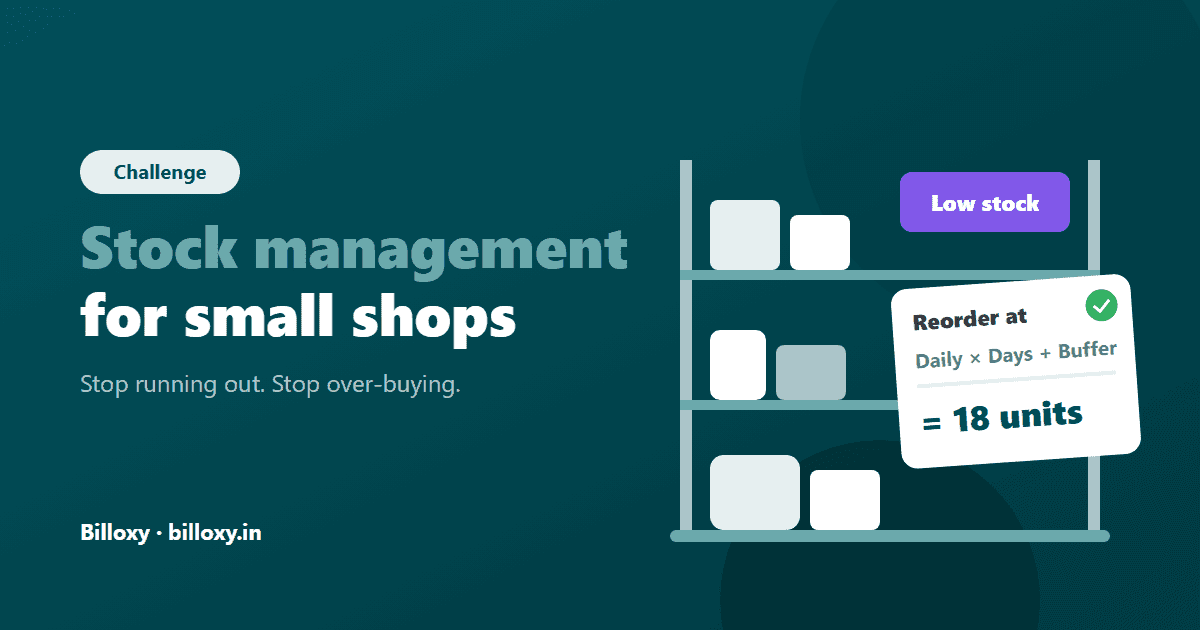
Reorder level = Average daily sales × Supplier delivery days + Safety stock
- Average daily sales: units sold in the last 30 days ÷ 30.
- Supplier delivery days: the days between placing an order and the goods reaching your shelf.
- Safety stock: a small buffer for a busy day or a late delivery. A simple starting point is two or three days of sales; raise it for items that sell unevenly.
Example (illustrative figures). A kirana store sells 90 packets of a 1 kg atta brand in 30 days, so 3 packets a day. The distributor delivers in 4 days. The owner keeps 2 days of sales as safety stock (6 packets).
Reorder level = 3 × 4 + 6 = 18 packets.
When the shelf and godown together fall to 18 packets, the owner orders. A sensible order size is the next 10 to 15 days of sales (30 to 45 packets), not the 200-packet bulk scheme.
Set a maximum too. The maximum stock level is the most you will hold of an item, for example 20 days of sales. Even when a scheme looks attractive, do not buy above it unless you can sell the extra before it expires or goes out of fashion.
How to manage stock in a small shop: 8 steps
- Make one item list. Every product with a clear name, unit (piece, kg, box, strip), purchase price, selling price, and the HSN code and GST rate you bill it at.
- Record every sale item by item. Bill every sale, even small cash sales, so the units sold are known.
- Record every purchase when the goods arrive. Check quantity, rate, batch and expiry against the supplier's bill (and your purchase order, if you sent one) before the goods go on the shelf.
- Record everything else that moves stock. Customer returns, returns to suppliers, breakage, expiry, theft and goods taken for home use. These are the gaps that make the record wrong.
- Sort items into fast, slow and dead movers. Look at units sold in the last 30 days. Watch the fast movers daily, the slow movers monthly.
- Set reorder and maximum levels for your top 20 to 50 items using the formula above. These items usually make most of your sales.
- Sell old stock first. Put new stock behind old stock (first in, first out). For items with an expiry date, sell the earliest expiry first (first expiry, first out).
- Count regularly. Count fast movers and high-value items every week or month, and do a full count at least once a year. Our stock taking guide explains how.
Which items need the most attention? ABC sorting
Not every item deserves the same effort. ABC sorting ranks items by the money they bring in:
| Group | Typical share | What it means | How to manage it |
|---|---|---|---|
| A | A small number of items | The items that bring in most of your sales value | Reorder level for each, check daily or weekly, never run out |
| B | A middle group | Steady sellers of moderate value | Reorder level, check every week or two |
| C | Most of your items | Many low-value items that sell a little each | Order in simple rounds, check monthly, cut variants that do not sell |
To build it, list items by sales value for the last 3 months, highest first. The items at the top that together make up most of your sales are A; the long tail at the bottom is C. The exact split varies by shop, so use your own figures.
Notebook, Excel or billing software: which way should you track stock?
Compared on 14 November 2026 for a single shop with one counter and a few hundred items.
| Criteria | Notebook or stock register | Excel sheet | Billing software with inventory |
|---|---|---|---|
| Cost to start | Lowest | Low, if you already have a computer | Subscription or trial |
| Stock updates when you bill | No, written separately | No, typed separately | Yes, from sales and purchase bills |
| Low-stock warning | No | Only if you build formulas | Usually built in |
| Item-wise sales history | Hard to total | Possible, with effort | Available as reports |
| Risk of mistakes | High (missed entries, totals) | Medium (typing, overwritten cells) | Lower, if every sale is billed |
| Works from a phone | Only the book itself | Limited | Yes, for web or mobile products |
| Best for | Very small shops with few items | Shops with time to keep a sheet daily | Shops billing every sale and stocking many items |
Verdict. A notebook works when you stock a few dozen items and bill few customers. Excel helps once you can update it every day, but it does not update itself when you bill. If you already bill every sale, software that links billing to stock saves the double entry and gives you the reorder warnings and item-wise sales you need for the formula above.
Stock management for your trade
| Trade | Main stock risk | What to watch | Read more |
|---|---|---|---|
| Kirana and grocery | Running out of daily staples; expiry on packaged food | Reorder levels on staples, first expiry first out | Grocery store billing |
| Medical store | Expiry, batch mix-ups, short supply of regular medicines | Batch and expiry on every purchase, near-expiry list monthly | Medical store billing |
| Clothing and footwear | Size and colour variants; season ending with stock left | Size-wise sales, two-round seasonal buying | Clothing store billing |
| Hardware | Thousands of small items; bulk items in different units | Units of measure, A items like cement and pipes on reorder levels | Hardware shop billing |
| Mobile and electronics | High value per unit; old models lose value fast | Serial or IMEI-wise records, slow models every month | Mobile store billing |
Before the wedding season and the December–January rush
Wedding-season and year-end buying is a busy period for clothing, jewellery, footwear, electronics, gifting and grocery. Before it peaks:
- Pull item-wise sales for the same weeks last year, if you have them
- Set reorder levels on the 20 items that sold most in that period
- Order seasonal stock in two rounds: part now, the rest after you see the first week's sales
- Agree delivery days with your suppliers, since they get busy too
- Clear or bundle last season's leftovers before the new stock arrives
- Plan a stock count for the week after the rush, while it is fresh
What stock records does GST require?
Stock account. Under Rule 56(2) of the CGST Rules, every registered person, other than a person paying tax under section 10 (the composition scheme), must keep stock accounts for goods received and supplied, showing the opening balance, receipts, supplies, goods lost, stolen, destroyed, written off or given away as gifts or free samples, and the balance of stock. Good day-to-day stock management is how you keep that account true.
Lost, damaged or written-off goods. Section 17(5)(h) of the CGST Act blocks input tax credit on goods lost, stolen, destroyed, written off or disposed of as gifts or free samples. If you claimed input tax credit on such goods, it has to be reversed. Recording these movements as they happen makes this easy to spot. Ask your accountant how to report it for your return period.
The rules above are central rules and apply in every state. They are not state-specific.
Weekly stock routine (15 minutes)
- Check the low-stock list and place orders for items at or below their reorder level
- Look at the 10 fastest movers: did any run out this week? Raise their reorder level
- Look at the 10 slowest movers with stock: stop reordering, or plan a bundle or offer
- Record breakage, expiry and returns from the week
- Count one shelf or one category and compare it with the record
- Check near-expiry items (food, FMCG, medicines) and move them to the front
How Billoxy helps you manage stock
Billoxy is AI-powered GST billing, invoicing, inventory and business-management software for Indian MSMEs. It does not decide what you should stock, but it keeps the records the steps above need:
- One Items catalogue. Each product has its HSN/SAC, GST rate, units, barcode and prices in the Items master.
- Stock that follows billing. Sales and purchase documents update stock, and the Stocks screen records Stock In, Stock Out and bulk adjustments with history per item, so breakage, expiry and returns can be recorded. See inventory management.
- Low-stock reminders. Reminder alerts you when stock runs low, so you reorder popular items on time.
- Sales and purchase summaries. Reports give sales, purchase, expense and order summaries for any period, with export, so you can work out average daily sales for the reorder formula.
- Ask in AI Chat. Billoxy's AI agents include business reports such as a product and service sales summary. You can try them in AI Chat.
Running a shop? See billing software for retail stores. To bill and track stock in one place, start the 10-day trial or compare plans on pricing.
Questions shop owners ask about stock management
What is the difference between stock management and inventory management?
In everyday use in India they mean the same thing: keeping the right goods in the right quantity and a true record of them. "Inventory management" is more common in software and larger businesses; "stock management" is what most shop owners say.
How often should a small shop count its stock?
Count fast-moving and high-value items every week or month, and do a full count at least once a year, usually before your year-end books on 31 March. Counting one shelf or category a week keeps the record close to the shelf without closing the shop.
How much stock should a small shop keep?
Enough to cover sales until the next delivery arrives, plus a small buffer. The reorder level formula (average daily sales × supplier delivery days + safety stock) gives the minimum; a maximum of about two to three weeks of sales keeps cash from getting stuck. Adjust both for your trade and season.
How do I stop running out of fast-selling items?
Set a reorder level for each fast seller, check a low-stock list every day or week, and count supplier delivery days in the reorder level. Raise the level when an item runs out before the new stock arrives.
What is FIFO in stock management?
FIFO means first in, first out: sell the oldest stock first by putting new stock behind it. For items with an expiry date, sell the earliest expiry first (FEFO), even if it arrived later.
Can I manage stock in Excel?
Yes, for a small number of items, if you update the sheet every day. The common problems are missed entries and typing errors, because the sheet does not update when you bill. When you stock hundreds of items or bill all day, software that updates stock from your bills is easier to keep accurate.
Official sources
- Rule 56, CGST Rules 2017 — Maintenance of accounts by registered persons — CBIC, read 24 October 2026
- Section 17, CGST Act 2017 — Apportionment of credit and blocked credits — CBIC