
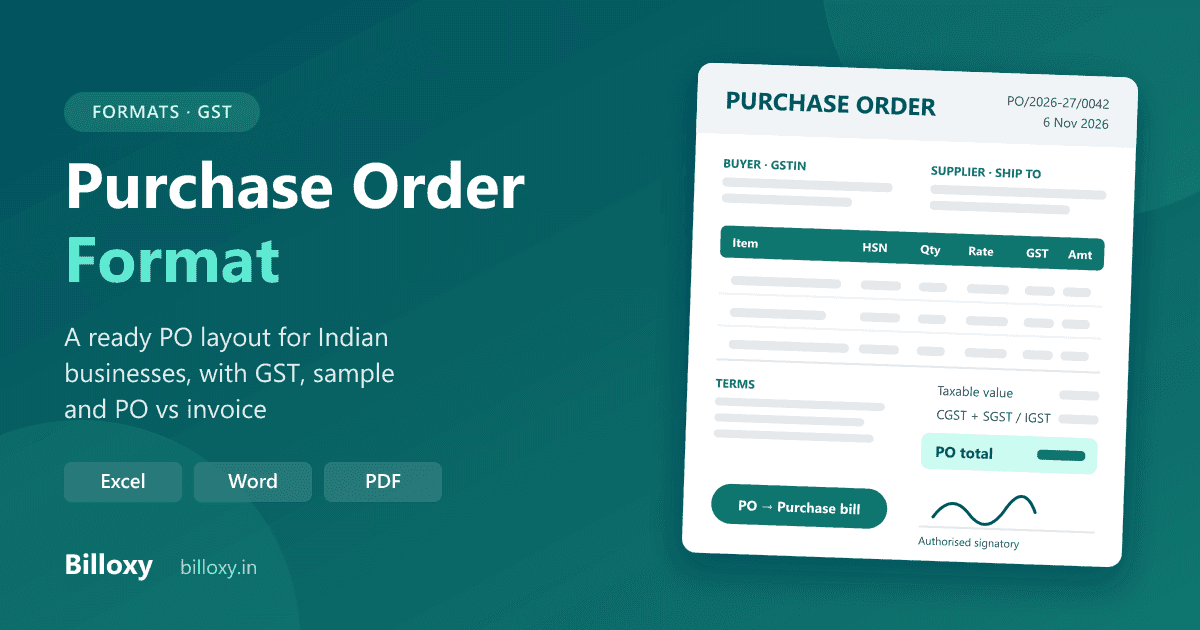
A purchase order format is the layout of the document a buyer sends a supplier to confirm what it wants to buy. A good purchase order (PO) shows the buyer and its GSTIN, a PO number and date, the supplier, the delivery address, an item table with HSN, quantity, rate, discount and GST, the total, the delivery date, payment terms, and an authorised signature. GST law does not prescribe a PO format, so any clear layout with these fields works.
Raise purchase orders without retyping: Billoxy's Purchase Order module builds the PO from your saved suppliers and items, shares it as a PDF on WhatsApp or email, and turns it into a purchase invoice when the goods and bill arrive. Start the 10-day free trial, or copy the layout below into Excel, Word or your letterhead.
Updated 6 November 2026. This guide is for Indian shop owners, traders, distributors, small manufacturers and contractors who buy stock or material from suppliers. It gives a PO layout you can copy, a filled sample, versions for goods, services and repeat orders, and the mistakes that lead to wrong deliveries and disputed bills. It is general information, not tax advice.
What is a purchase order?
A purchase order is a written order from a buyer to a supplier. It lists the items, quantities, agreed prices, delivery date and payment terms. When the supplier accepts it, the PO becomes the record of what was agreed, and the goods, the delivery challan and the supplier's bill are all checked against it.
PO is short for purchase order. In the usual buying cycle in India:
- The supplier sends a quotation (or you ask several suppliers for one).
- You choose one and send a purchase order.
- The supplier dispatches the goods, often with a delivery challan or the tax invoice.
- You check the goods against the PO, record the supplier's tax invoice as a purchase bill, and pay it.
A PO is a commercial document, not a tax document. It is not reported in your GST returns, and input tax credit comes from the supplier's tax invoice, not from the PO.
What does a purchase order format look like?
A purchase order has five blocks, top to bottom. Copy this layout into a spreadsheet, a Word table or your printed letterhead.
Block 1: header (your business, the buyer)
| Field | What to write |
|---|---|
| Title | "Purchase Order" |
| Your business | Name, address, phone, email |
| Your GSTIN | Your 15-character GSTIN, if you are registered, so the supplier bills you as a B2B customer |
| PO number | Your own series, for example PO/2026-27/0042. Keep it separate from your sales invoice series |
| PO date | The date you place the order |
| Supplier's quotation reference | The quotation number and date you are accepting, if any |
Block 2: supplier and delivery
| Field | What to write |
|---|---|
| Supplier name and address | The business you are buying from |
| Supplier GSTIN | If registered; check it so the bill comes to you correctly |
| Contact person | Who confirmed the price |
| Ship to | The shop, godown or site where the goods must arrive, if different from your billing address |
| Delivery date | The date by which you need the goods |
Your state and the supplier's state, together with where the goods are delivered, decide whether the supplier's bill shows CGST + SGST or IGST. The place of supply guide explains how.
Block 3: item table
| Sr. | Item and specification | HSN / SAC | Qty | Unit | Rate (₹) | Discount | Taxable value (₹) | GST rate | GST amount (₹) | Amount (₹) |
|---|---|---|---|---|---|---|---|---|---|---|
| 1 | ||||||||||
| 2 |
Write the item exactly as you want it delivered: brand, size, grade, pack and unit. Use the rate agreed in the supplier's quotation, and the GST rate the supplier will charge from the official rate notification, so the PO total matches the bill you will receive.
Block 4: totals
| Line | Amount (₹) |
|---|---|
| Total taxable value | |
| CGST + SGST (same state) or IGST (other state) | |
| Freight, packing or loading, if agreed | |
| Round off | |
| PO total | |
| Amount in words |
Block 5: terms and signature
- Delivery: date, place, and who pays freight ("Delivery at our godown by 20 November 2026, freight paid by supplier").
- Payment terms: advance, on delivery, or credit days ("Payment within 30 days of receipt of goods and correct tax invoice").
- Quality and returns: "Goods not matching the specification will be returned at the supplier's cost."
- Part deliveries: allowed or not.
- Invoice instruction: "Quote this PO number on your tax invoice and delivery challan."
- Cancellation: "We may cancel undelivered quantities after <date>."
- "For <your business name>", authorised signatory, and seal if you use one.
What is a sample purchase order?
Here is a filled example with sample figures.
A kirana and general store in Pune orders packed groceries from a distributor in the same city.
| Field | Entry |
|---|---|
| PO number and date | PO/2026-27/0042, 6 November 2026 |
| Supplier quotation | QT/1187 dated 4 November 2026 |
| Ship to | The store's address, Pune |
| Delivery date | By 10 November 2026 |
| Item 1 | Packed atta 10 kg, 40 bags × ₹420 = ₹16,800 |
| Item 2 | Refined oil 1 L pouch, 120 pouches × ₹140 = ₹16,800 |
| Item 3 | Tea 500 g, 50 packs × ₹230 = ₹11,500 |
| Discount | 2% on item 2 (₹336) |
| Taxable value | ₹44,764 |
| GST | At each item's rate as the distributor will bill it, split into CGST and SGST because both are in Maharashtra |
| Terms | Delivery at the store, freight by distributor; payment in 15 days from the invoice; short-expiry stock not accepted |
The figures are only an example. Check each item's GST rate against the official rate notification and the supplier's quotation.
How do you make a purchase order, step by step?
- Decide what you need. Check current stock and recent sales so you order what will sell, not what is cheapest to buy in bulk. Our guide to stock taking for small shops shows how to count what you have.
- Compare quotations from two or three suppliers on price, GST, freight, credit days and delivery time.
- Fill the header and supplier blocks, with a new PO number from your series.
- Fill the item table with specification, HSN, quantity, unit, agreed rate, discount and GST.
- Check the totals against the supplier's quotation and write the amount in words.
- Add delivery, payment, quality and cancellation terms.
- Sign and send it as a PDF by email or WhatsApp, and ask the supplier to confirm.
- When the goods arrive, match three documents: the PO, what was delivered (the challan or goods received), and the supplier's tax invoice. Pay only what matches.
Purchase order format for goods, services, and repeat orders
The five blocks stay the same. What changes is the item table and the terms.
| Type | What to change in the format |
|---|---|
| Goods (shops, traders, distributors) | HSN code, pack size and unit, delivery place and date, part-delivery and return terms |
| Raw material (small manufacturers) | Grade or specification, test or inspection on receipt, delivery schedule if the order comes in lots |
| Services (repairs, printing, transport, maintenance) | SAC code, scope of work in place of quantity, completion date, payment on completion or milestones |
| Work order for a contractor | Separate lines for material and labour, site address, start and finish dates |
| Repeat or blanket order | A rate agreed for a period ("rates valid to 31 March 2027") with call-off quantities sent on separate orders |
Purchase order vs invoice: what is the difference?
| Point | Purchase order | Supplier's tax invoice (your purchase bill) |
|---|---|---|
| Who issues it | The buyer | The supplier |
| When | Before the goods are supplied | When the goods or services are supplied |
| Purpose | Order goods at agreed terms | Bill the supply and charge GST |
| What it is | A commercial document | A tax document |
| Reported in GST returns | No | Yes, by the supplier in GSTR-1 |
| Input tax credit for the buyer | No | Yes, from a correct invoice, subject to the GST conditions |
A PO is also different from a sales order: a sales order is the supplier's own record of the order it received, while the PO is the buyer's record of the order it placed. The input tax credit guide covers what the buyer needs from the invoice.
Excel, Word, a PO book or billing software: which should I use?
| Option | Good for | Watch out for |
|---|---|---|
| Printed PO book | A few orders a month to the same suppliers | No searchable copy; totals by hand; hard to see what is still undelivered |
| Excel or Word template | Occasional orders, custom layouts | PO numbers repeat or skip; rates and GST typed each time; the purchase bill is typed again from scratch |
| Billing software with purchase orders | Regular buying, many suppliers, stock you need to track | Monthly cost after the trial; a short setup of suppliers and items |
A template is fine when you order now and then. If you order every week, the real work is not the layout but knowing which orders are still pending, which supplier billed more than the PO, and keeping stock and supplier dues right after the goods arrive.
Common mistakes in a purchase order
- Vague items. "Oil, 120" invites the wrong brand or pack size; write brand, size, grade and unit.
- No delivery date or place, so goods arrive late or at the wrong godown.
- Rate not tied to the quotation. Quote the supplier's quotation number so the agreed price is clear.
- GST left out. The PO total then never matches the bill, and differences go unnoticed.
- No payment or credit terms, so the supplier asks for payment earlier than you planned.
- Not matching the bill against the PO and the goods received, which is how short supplies and higher rates get paid.
- Typing the purchase bill again from the PO, where quantity, rate and GST errors creep in.
How Billoxy helps
Billoxy is GST billing, invoicing and inventory software for Indian MSMEs, on web and mobile. Its Purchase Order module keeps your buying in one place:
- Create a purchase order with the supplier and items picked from your saved list, or added on the fly; the item's purchase price, HSN or SAC and GST load for the unit you choose.
- Apply GST per line, line and invoice discounts, TDS and reverse charge, and add terms and a signature.
- Save as Draft while the price is being agreed, then Create to finalise it.
- Filter orders by status (Draft, Approved, Shipping, Closed) to see what is still open.
- Preview the PO in a PDF template, then download, print, or share it by WhatsApp or email.
- Generate Purchase Invoice from the order when the supplier's bill arrives, so the supplier, items, prices and tax carry over instead of being typed again. Relative Invoice shows the bills already raised from a PO.
From the purchase invoice, your inventory and supplier payments follow the bill, and the reports show what you bought and what you owe.
Start the 10-day free trial to keep purchase orders, purchase bills and stock in one place.
Frequently asked questions
What is the full form of PO?
PO stands for purchase order: the buyer's written order to a supplier for goods or services at agreed prices and terms.
Is there a government-prescribed purchase order format in India?
No. GST rules prescribe what a tax invoice must contain, not a purchase order. Any clear layout works if it shows the buyer, the supplier, the items with price and tax, the total, the delivery details and the terms.
Should a purchase order include GST?
It should show the GST the supplier will charge, so your PO total matches the bill. The tax itself is charged on the supplier's tax invoice, not on the PO.
Is a purchase order a legal document?
A PO is an offer to buy. Once the supplier accepts it, in writing or by supplying the goods, its prices and terms become part of the agreement between you. It is not a tax document and is not reported in GST returns.
Can I claim input tax credit on a purchase order?
No. Input tax credit is claimed on the supplier's tax invoice after you receive the goods or services and the other GST conditions are met.
Can I make a purchase order in Excel or Word?
Yes. Copy the five blocks above into a sheet or a table, keep your own PO number series, and save each order as a PDF before sending it.
Related Billoxy guides
- Quotation format
- Delivery challan format
- GST invoice format
- What is a proforma invoice?
- Bill vs invoice vs receipt
- Stock taking for small shops
Official sources
- Rule 46, CGST Rules — Tax invoice — CBIC (the fields the supplier's invoice needs; there is no equivalent rule for purchase orders)
- GST rate notifications — CBIC (check each item's rate here)